Connecting Libre glucose data to my WhatsApp assistant
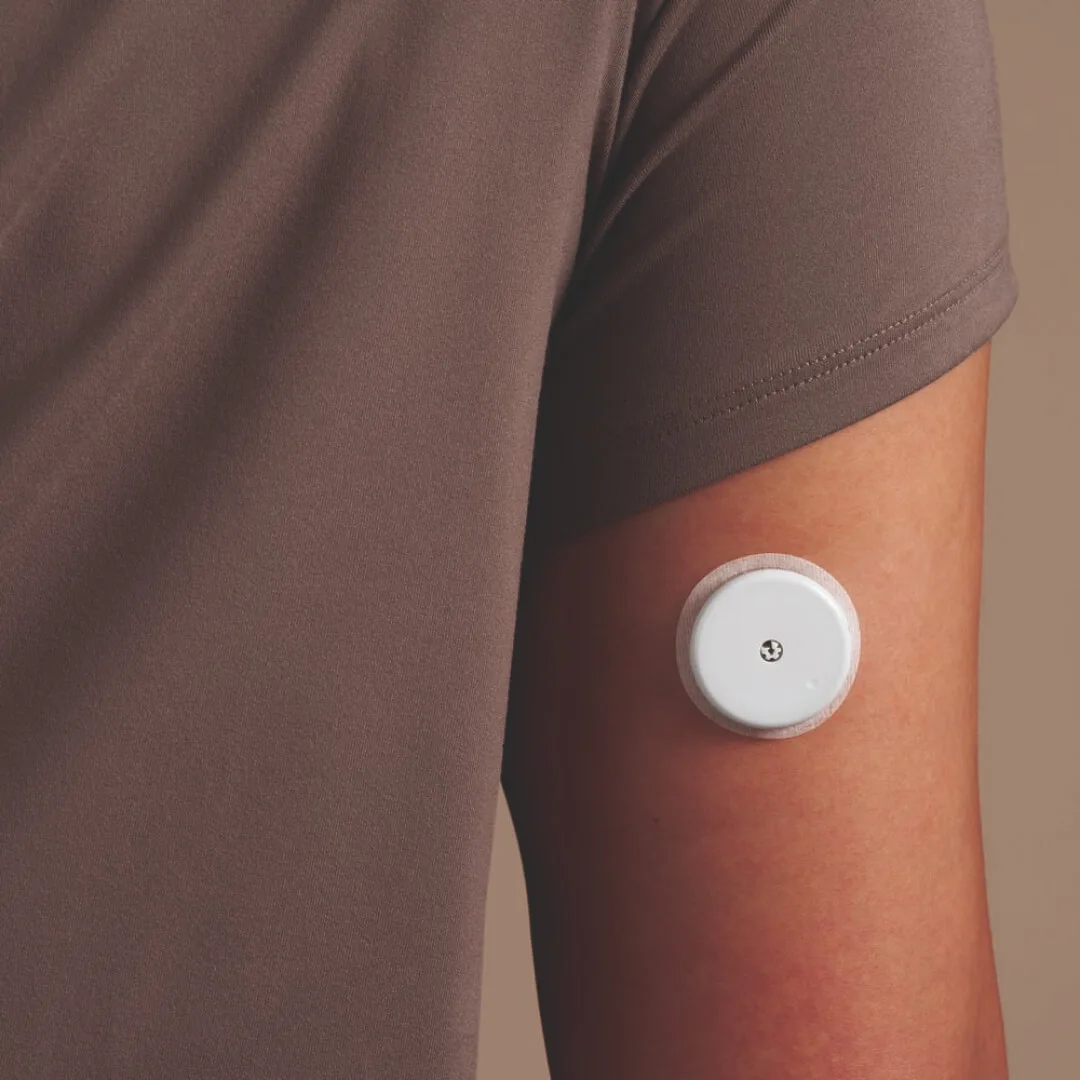
so im always down to track yet another metric to see what i can do better, my CGM (continous glucome monitor), a FreeStyle Libre 3 plus was able to be connected in a bit of a hacky way to my personal agent & i will be tracking everything i eat & drink over the next two weeks (how long the cgm sticks on your skin) & check what spikes my blood sugar the most & how my energy & mood is affected.
the process is not the most straigh-forward but i asked claude & it guided me through it flawlessly.
you basically need one main account and one follower account that will be reverse-engineered to provide the desired api data as there is no official way for this product to get the raw data. this follower would usually be a doctor or family member but in this case, its my agent!
wiring it all up took less than 15 mins with gpt 5.5 on high thinking (my daily driver right now) & the full prompt you can give to your agent is below so you can do exactly the same!
i'll be checking in again in two weeks to share my journey & experience and lets see, maybe i will have learned something new or in the worst case, just tinkered with something old & new again!
how to recreate this with your own agent
this is the practical version. the important thing to know is that abbott does not provide a public api for individual users, so the setup uses librelinkup, the follower app that normally lets family or doctors see your glucose readings.
high level flow:
- your libre 3 or libre 3 plus sensor sends readings to your phone
- the libre app uploads them to libreview
- a second librelinkup follower account is allowed to see those readings
- your agent logs in as that follower account
- the agent saves glucose readings locally
- food photos or food notes are stored next to the glucose timeline
- over time, the agent can compare meals against glucose changes
what you need
- a FreeStyle Libre 3 or Libre 3 Plus sensor
- the normal Libre app working on your phone
- LibreView upload enabled
- a second email address for the LibreLinkUp follower account
- a small node or typescript app with SQLite
- a coding agent that can edit files, run scripts, and deploy
set up the follower account
in the Libre app on your phone:
- make sure your sensor data is visible in the app
- make sure the app is signed in and syncing to LibreView
- open connected apps or sharing settings
- enable LibreLinkUp
- invite a follower using a different email address than your main Libre account
then install the LibreLinkUp app, sign in with the follower email, and accept the invitation. if the follower app can see your glucose, your code can usually see it too.
store credentials for the agent
use environment variables in production:
LIBRE_LINK_EMAIL="your-follower-email@example.com"
LIBRE_LINK_PASSWORD="your-follower-password"
LIBRE_LINK_UP_VERSION="4.16.0"
on my mac, i also store them in keychain so local scripts can run without hardcoding secrets:
security add-generic-password -a "$USER" -s "libre-link-email" -w "your-follower-email@example.com" -U
security add-generic-password -a "$USER" -s "libre-link-password" -w "your-follower-password" -U
the data model
keep it boring. one table for glucose, one table for meals.
CREATE TABLE IF NOT EXISTS glucose_readings (
  id INTEGER PRIMARY KEY AUTOINCREMENT,
  timestamp DATETIME NOT NULL UNIQUE,
  value_mg_dl REAL NOT NULL,
  value_mmol_l REAL,
  trend_arrow INTEGER,
  trend_type TEXT,
  is_low INTEGER DEFAULT 0,
  is_high INTEGER DEFAULT 0,
  source TEXT DEFAULT 'libre-link-up',
  raw_json TEXT,
  synced_at DATETIME DEFAULT CURRENT_TIMESTAMP
);

CREATE TABLE IF NOT EXISTS food_diary_entries (
  id INTEGER PRIMARY KEY AUTOINCREMENT,
  description TEXT NOT NULL,
  meal_type TEXT,
  foods_json TEXT,
  estimated_calories REAL,
  estimated_carbs_g REAL,
  confidence TEXT,
  photo_count INTEGER DEFAULT 0,
  logged_at DATETIME DEFAULT CURRENT_TIMESTAMP,
  created_at DATETIME DEFAULT CURRENT_TIMESTAMP
);
the agent prompt
this is the kind of prompt i would give to a coding agent:
Add LibreLinkUp glucose tracking to my personal assistant.

Requirements:
- use the LibreLinkUp follower account, not the main Libre account
- read LIBRE_LINK_EMAIL, LIBRE_LINK_PASSWORD, and LIBRE_LINK_UP_VERSION from env
- default LIBRE_LINK_UP_VERSION to 4.16.0
- login against the LibreLinkUp API
- follow regional redirects automatically
- fetch the follower connections
- fetch the graph endpoint for the first connection
- save every returned reading into SQLite with timestamp as a unique key
- use FactoryTimestamp as UTC if the API provides it
- keep raw_json for debugging
- add a sync job every 5 minutes
- add a tool called get_glucose_summary that returns latest value, trend, average, min, max, and time in range
- add a tool called log_food_diary for meal photos and text food logs
- add a tool called get_food_glucose_patterns that compares meals to glucose readings in the 3 hours after eating
- keep responses short and non-medical
how food logging works
when i send a meal photo, the agent should not try to be perfect. it should save a useful guess:
{
  "description": "pasta with tomato sauce and parmesan",
  "meal_type": "dinner",
  "foods": ["pasta", "tomato sauce", "parmesan"],
  "estimated_carbs_g": 80,
  "confidence": "medium",
  "from_photo": true
}
then, once more glucose readings arrive, the agent can estimate:
- glucose before the meal
- highest glucose after the meal
- change in mg/dL
- minutes to peak
- whether the pattern repeats with similar meals
it is not a diagnosis. it is just a personal experiment notebook with better timestamps.
reminder setup
for the first two weeks, the most important thing is not the code. it is actually remembering to log the food.
my assistant sends four short reminders per day:
- 09:00, breakfast, coffee, meds
- 12:30, lunch or snacks
- 18:30, dinner
- 21:30, sweets, alcohol, late snacks, or nothing
the messages are intentionally tiny, because if a reminder feels annoying, i will ignore it.
what the assistant can answer
once this is running, i can ask things like:
- what is my glucose right now?
- what happened after lunch?
- which meals caused the biggest spikes this week?
- did coffee do anything?
- summarize my glucose and food patterns for the last 24 hours
that is the fun part. the cgm gives the signal, but the agent turns it into a memory system i can actually talk to.